HeyGen
Browser AI avatar studio that turns a script into a lip-synced presenter video so a faceless channel can keep a consistent on-screen face without filming.
What it is
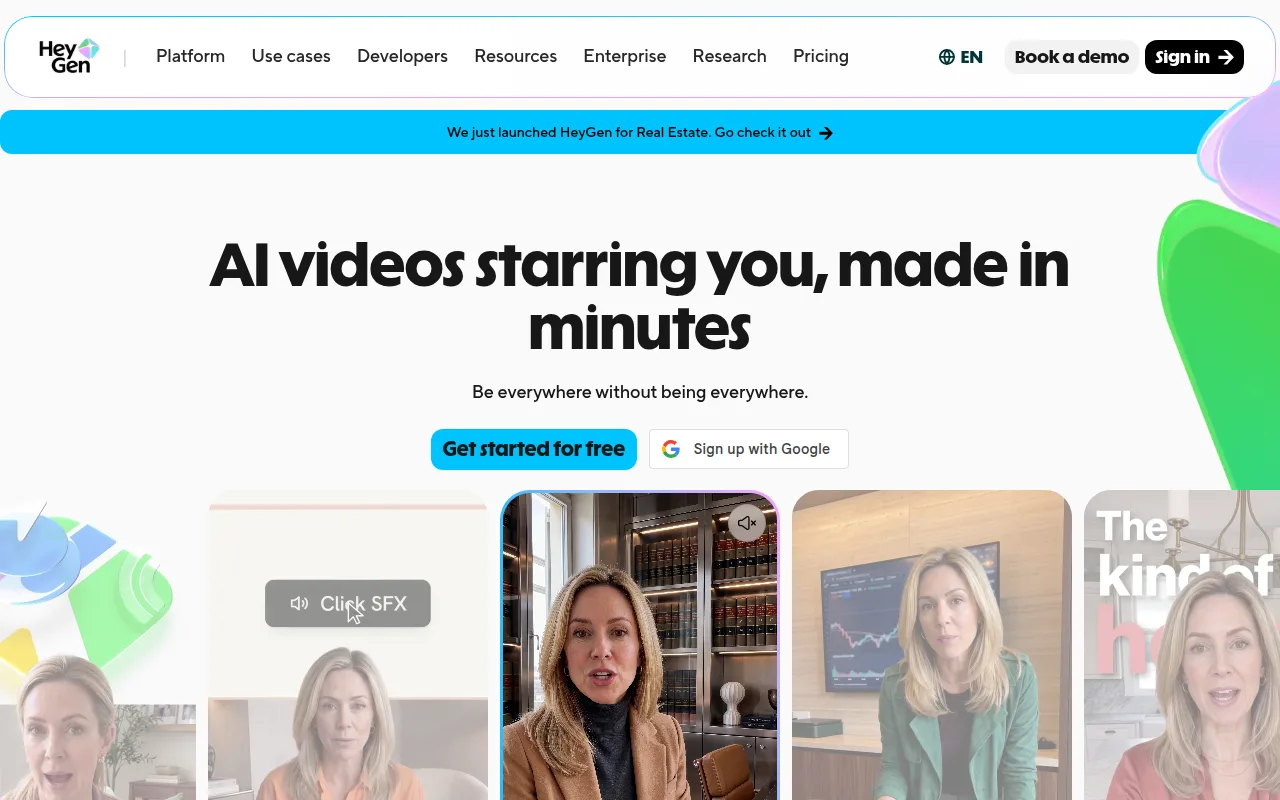
HeyGen (heygen.com) is a browser AI video workspace built around talking avatars. You pick a stock avatar or a custom digital twin, paste a script (or upload audio), choose a voice, and generate a lip-synced presenter cut. The same account also covers prompt-to-video via Video Agent, photo-to-video, PPT/PDF-to-video, captions, and lip-synced translation across a large language suite.
It is not CapCut. CapCut is a timeline you drive shot by shot. HeyGen’s core product is avatar generation plus an AI Studio editor, not a general NLE. It is not InVideo. InVideo Autopilot Basic leans stock-plus-voice from a brief. HeyGen’s pitch is a consistent on-screen presenter you did not film. It is not ElevenLabs. ElevenLabs is voice-only; HeyGen bundles AI voices and optional voice cloning inside avatar and Studio workflows. It is not Opus Clip. Opus Clip cuts long sources into shorts. HeyGen builds avatar-led clips from script or prompt.
Official positioning (homepage and FAQ): create realistic AI videos of a presenter without a camera or crew. Custom avatars require on-camera identity verification for the person depicted. Moderation flags violence, political campaigning, and harm to minors. Company claims include SOC 2 Type II and GDPR compliance on the FAQ security section.
Who it’s for
Use it if your faceless format is presenter-style: a talking head that is not you on camera, with a stable face across episodes or languages. Official paths that fit: (1) stock Video Avatar plus script in AI Studio; (2) custom Video Avatar / digital twin after consent recording, then script or cloned voice; (3) Avatar IV/V photo or video Looks for higher-realism short clips; (4) Video Agent when you want prompt-to-finished draft with editable Studio output; (5) video translation with lip-sync when one master cut needs many languages.
Skip Free as a publishing plan. Official watermark help: every video gets a HeyGen logo by default; only paid plans can toggle it off at submit. Skip HeyGen if you only need stock B-roll over a voiceover (Pexels, Pixabay, or InVideo Autopilot Basic are closer). Skip it if you only need a narrator (ElevenLabs). Skip it if you only need styled captions on footage you already have (Submagic). Skip LiveAvatar / streaming twin workflows if you are publishing YouTube or TikTok files rather than real-time chat agents.
Credit math matters before you commit. Official credit help: Avatar IV Photo Look is 16 credits/minute and Video Look is 31 credits/minute; Avatar V is 48 credits/minute for either Look type; Video Agent Standard is 40 credits/minute (Seedance mode 120). Creator’s 600 credits go fast if every short burns Avatar IV/V plus motion or generative B-roll.
Standout details
- Plans (official pricing page + credit-based plans help): Free, Creator ($29/mo or $24/mo yearly), Pro (from $49/mo; credit tiers up to 100,000 credits/mo), Business ($149/mo first seat + $20/seat), Enterprise (sales). Free does not use credits; paid plans spend a monthly credit pool across features.
- Watermark (official watermark help): default on for all videos; paid users toggle it off in the Submit Video menu; the choice sticks for later videos until changed.
- Export (official download help + pricing): download from Projects or the video page; advanced settings include 720p / 1080p / 4K when the plan allows 4K. Pricing: Creator up to 1080p; Pro / Business / Enterprise up to 4K. SCORM export is Business and Enterprise. Commercial use of created videos is allowed on official download and Digital Twin FAQ language, subject to input copyright and content guidelines.
- Avatars (pricing + Digital Twin FAQ + credit plans help): Free lists 500+ stock Video Avatars and 1 custom Video Avatar slot; Creator/Pro credit plans include 1 custom Digital Twin by default; Business includes 5 custom Video Avatar slots. Extra Video Avatar slots are an add-on at $29/month or $288/year (credit plans help). Consent video must be the same person as the footage; third-party AIGC likenesses without permission are not supported. Redo of a Video Avatar is limited to once per billing cycle.
- Credits (official “How to Use Credits” help): Avatar III Photo 7/min, Avatar III Video 4/min; Avatar IV Photo 16/min, Avatar IV Video 31/min; Avatar V Photo or Video 48/min. Custom Expressive Motion (Avatar IV only) +40 credits/min. Video translation: 6 credits/min Speed with lip-sync, 10 Precision with lip-sync, 4 without lip-sync. Generate Looks: 1 credit per Look. AI model training: 60 credits. Image generation: 2 credits/image. Seedance2 video: 60 credits (720p) or 150 (1080p) per clip; Veo3: 90 credits per clip. In-product estimate appears before generate when available.
- Languages and voice (pricing + FAQ): Free ~30+ languages; Creator and above advertise 175+ languages and dialects. Creator includes voice cloning (pricing FAQ: 1 clone on Creator); Pro and above list unlimited clones in the pricing comparison. 1,000+ AI voices on the comparison table.
- Video Agent (official Video Agent FAQ): credits charge when generation starts; cost varies with generated assets (avatars, images, clips, motion graphics); confirmation card shows estimated credits first. Legacy Essential/Quality unlimited Avatar III modes are not on new credit-based plans.
- Billing (pricing FAQ + credit plans help): upgrades immediate with prorated charge and credits; downgrades and cancels at period end. Monthly credit rollover: one extra cycle while paid. Annual: credits allocate monthly but unused accumulate until renewal. Cancel to Free: unused credits do not roll over. Pausing postpones the next charge by 30 days and is not a full cancel.
- Trust rails (homepage): custom avatars need verified identity; ML plus human moderation; listed compliance marks include GDPR, SOC 2 Type II, CCPA, AI Act, DPF.
Honest verdict
Try it. HeyGen earns the slot when the channel’s visual hook is an AI presenter, not stock montage. Start on Free only to feel Studio and a stock avatar; publish only after Creator (or higher) so you can kill the watermark and export 1080p. Stay on Creator if short avatar clips and light translation fit inside 600 credits. Move to Pro when you need 4K, translation script editing, Seedance 2.0 paths called out on Pro, or a larger monthly credit tier. Business is for teams, SSO, and shared seats—not a solo Shorts grind.
Do not buy HeyGen to replace tools that already solve a narrower job. Voice-only is ElevenLabs. Stock coverage is Pexels or Pixabay. Prompt-to-stock draft is InVideo. Captions-on-footage is Submagic. Long-to-shorts is Opus Clip. Browser timeline without an avatar obsession is CapCut or VEED. Re-check heygen.com/pricing and the in-product credit estimate before you subscribe; credit burn on Avatar IV/V and Video Agent is the real monthly cost, not just the sticker price.