Speechify Studio
Creator-side Speechify Studio for downloadable AI voiceovers, dubbing, and avatars — not the listening Reader app. Buy paid Studio for commercial rights; Free is preview-only.
What it is
Speechify is a big text-to-speech brand (60M+ users claimed on the homepage). For Unseen Stack’s faceless job, the product that matters is Speechify Studio — the creator suite for AI voiceovers, dubbing, and avatars — not the Speechify Reader / Voice AI Assistant that reads PDFs and pages aloud.
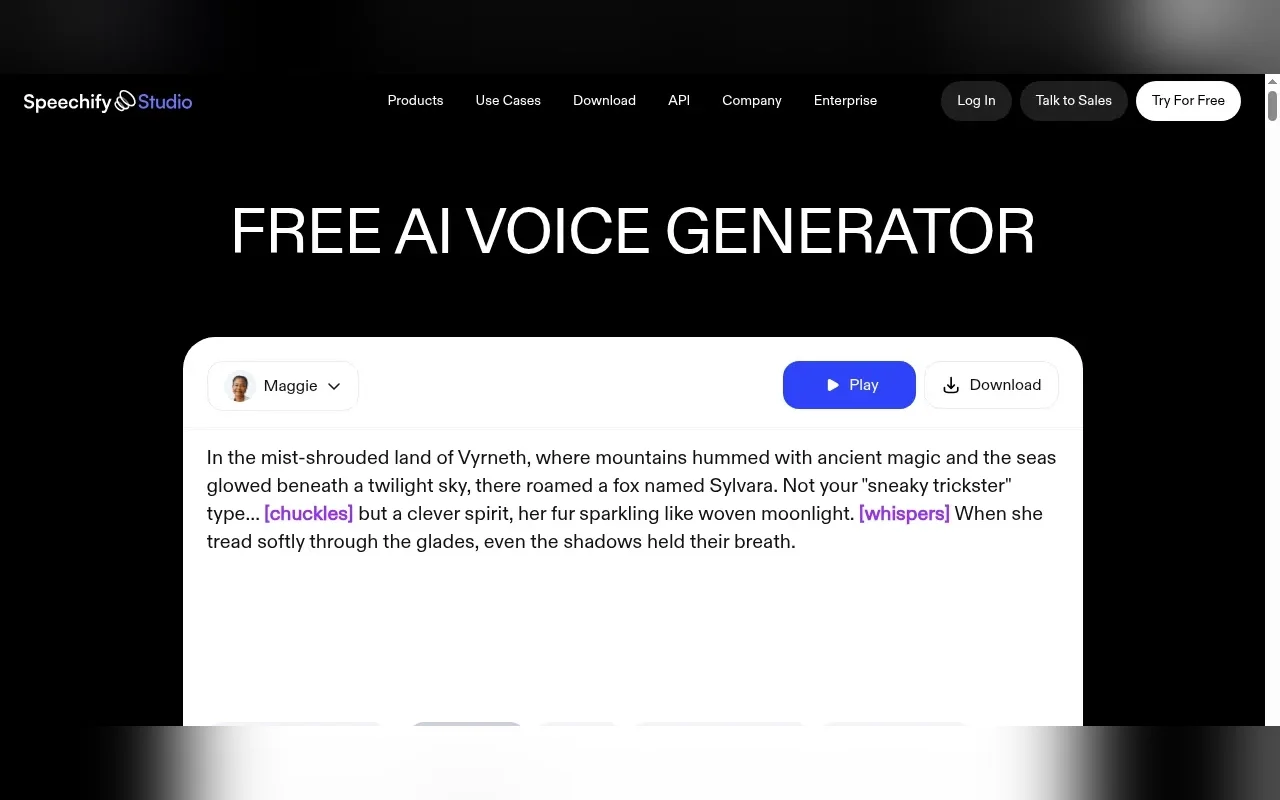
Studio (speechify.com/voice-over/, speechify.com/studio/, pricing at speechify.com/pricing-studio/) is where you paste a script, pick from 1,000+ voices, tune pitch/speed/pauses/emotion, and export narration for YouTube, TikTok, e-learning, ads, and podcasts. The same suite adds AI dubbing (marketing claim: 60+ languages) and AI avatars. Studio credits are the meter: voiceover burns 1 credit per second, dubbing 3, avatars 30.
It is not ElevenLabs (already listed) and not Murf (already listed). Those are creator TTS/studio desks first. Speechify’s public brand is still mostly the Reader. Studio is a separate subscription with its own pricing page, and the Studio FAQ is explicit that Reader and Studio are different products.
Voice cloning exists as a Speechify creation tool (speechify.com/voice-cloning/ and Studio terms covering Custom Voice Cloning). Cloning has strict consent rules in the Studio terms (18+, own voice or written consent, residency limits for some US states, AI disclosure). Confirm whether cloning sits on your exact Studio plan before you buy for that feature alone — the live pricing-studio cards emphasize credits, commercial rights, and stock media more than cloning line-items.
Who it’s for
Try Studio if you need downloadable narration under B-roll and want Speechify’s voice library plus commercial rights on a paid yearly plan. Starter at $100/year (~24 hours of voiceover at 1 credit/sec) is the usual entry for a solo Shorts/TikTok operator; Creator at $300/year (~96 hours) is for heavier weekly volume or dubbing (3× burn).
Skip Free as a publish plan. The Free card lists no commercial usage rights, and the pricing FAQ says you need a paid plan (or sales) to download work to MP3. Skip the Reader Premium ($29/mo) if your goal is monetized YouTube voiceover — that plan is for listening, voice typing, AI podcasts-from-reading, and the Voice AI Assistant, not Studio commercial output. Skip if ElevenLabs or Murf already cover your narrator quality and you don’t need Speechify’s dubbing/avatar lane. Skip treating celebrity-style marketing voices as a free commercial free-for-all — follow Studio terms, cloning attestations, and platform disclosure rules.
Standout details
- Official creator surfaces: speechify.com/voice-over/ · speechify.com/studio/ · Studio pricing speechify.com/pricing-studio/ · Reader pricing speechify.com/pricing/ · Studio terms speechify.com/studio-terms/ · API docs docs.speechify.ai.
- Studio stickers (pricing-studio, checked 2026-10-12): Free $0 / 600 credits / no commercial rights. Starter $100/year / 86,400 credits / stock media / commercial rights. Creator $300/year / 345,600 credits / everything in Starter. Enterprise via sales.
- Credit math: voiceover 1/sec · dubbing 3/sec · avatar 30/sec. New speech generations cost credits; unchanged re-exports are free; pitch/speed/emotion changes cost credits again.
- Commercial language (Studio pricing FAQ): paid Studio — you own the audio output and commercial rights in perpetuity for your own projects. Free Studio — no commercial usage rights. Studio FAQ also answers “Can I use Speechify Studio for Youtube?” with yes. Re-read studio-terms before monetizing.
- Voices / languages: marketing claims 1,000+ realistic voices and 60+ languages on voice-over pages; Studio pricing FAQ lists a concrete voiceover language set (English, Spanish, French, German, Portuguese, Italian, Chinese simplified/traditional, Finnish, Hindi, Japanese, Korean, Norwegian, Polish, Turkish, Swedish, Thai, Russian, Danish, Dutch, and others named there). Granular controls called out: speed, pitch, pauses, pronunciation, emotional tone (voice-over page markets 13 emotions).
- Reader vs Studio: Reader Premium is $29/mo (yearly “SAVE 60%” advertised on speechify.com/pricing) for listening and the Voice AI Assistant stack. Do not buy Reader expecting Studio commercial downloads.
- Search-intent signal for this pick: public AI-voice Share of Search rankings (Aug 2026 brandwave scrape) put Speechify second behind ElevenLabs at ~314K estimated monthly branded searches — well ahead of Murf — while OpenAI Sora’s consumer app already shut down (2026-04-26) and its API followed on 2026-09-24, so Sora is not a shippable Stack listing.
Honest verdict
Try it — specifically paid Speechify Studio, not the Reader. For faceless operators, Speechify earns a slot because branded search demand stays high and Studio’s yearly Starter/Creator pricing plus clear commercial FAQ language make it a real narrator option beside ElevenLabs and Murf.
Use Free only to audition voices and the editor. Move to Starter before you publish monetized Shorts/TikToks so downloads and commercial rights match the pricing card. Prefer ElevenLabs when cloning fidelity and the creator TTS ecosystem already own your lane; prefer Murf when you want that studio’s word-level / Canva path; prefer Speechify Studio when you want Speechify’s voice library, dubbing, or avatar lane under one credit meter. Re-check speechify.com/pricing-studio/, credit burn, and studio-terms the day you subscribe — Reader and Studio stickers move independently.