VEED
Browser AI video editor that captions, trims, and can stock-cover or generate a faceless cut without installing CapCut.
What it is
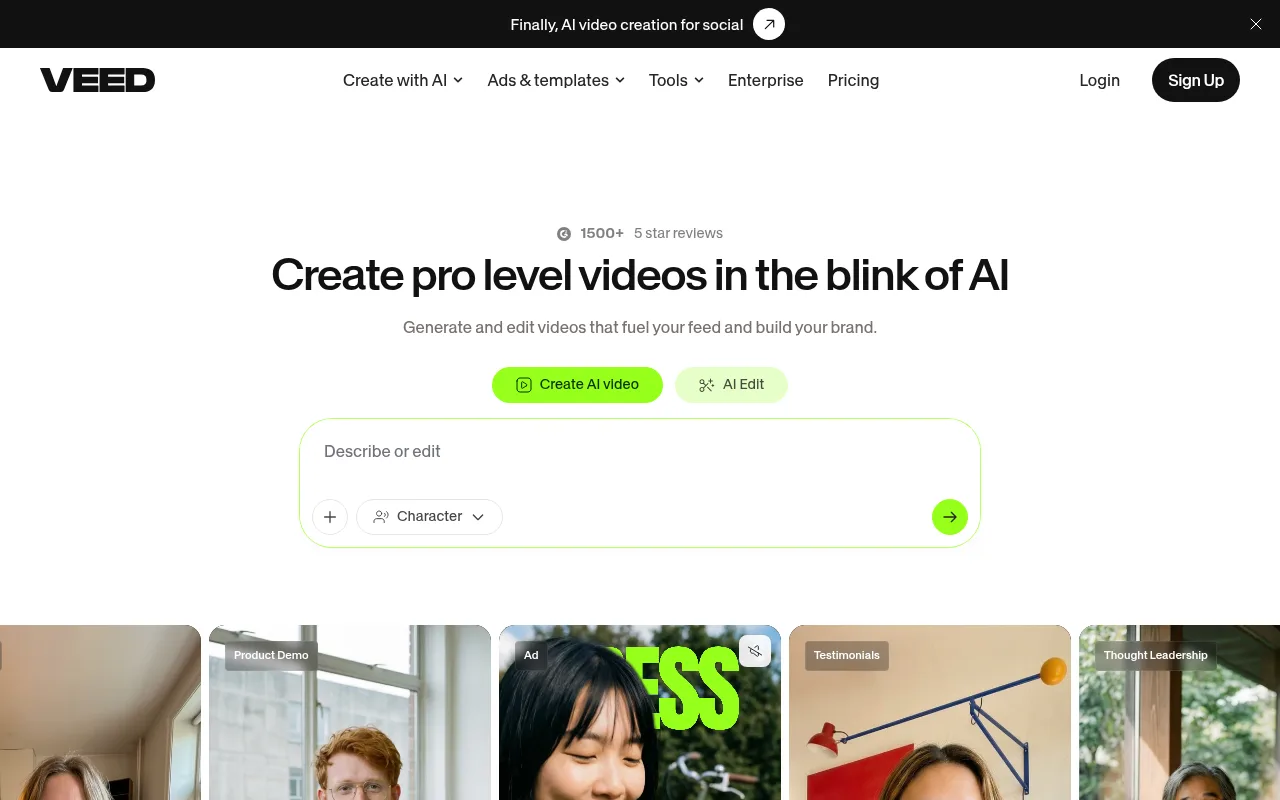
VEED (veed.io; Veed Limited, London) is a browser video workspace. The live homepage sells generate-and-edit: prompt or footage in, feed-ready file out, no camera required. The product you actually sit in is a timeline editor with auto subtitles as the flagship, plus TTS, stock, clipper, and generative models in the same tab.
It is not CapCut. CapCut is a timeline you drive shot by shot, especially on phone. VEED is the browser alternative: upload, Auto-subtitle, trim, export. It is not InVideo. InVideo’s Autopilot builds a draft from a brief (Basic = stock only). VEED’s Gen-AI Studio also builds from a script or prompt, but official help says it uses stock clips, not generated video. New pixels live in AI Playground / AI Video Generator, which burn AI credits for short clips. It is not Opus Clip. Opus Clip is a dedicated long-to-shorts cutter. VEED’s AI Clips tool does a similar job inside the same account (free: try once).
Company: Veed Limited, England and Wales (Companies House 11264311). Separate iOS app: VEED LITE / VEED Shorts is a captions app with its own App Store subscription; it does not unlock the web editor.
Who it’s for
Use it if you never appear on camera and you want captions, a voice, and coverage in one browser tab instead of stitching Submagic + ElevenLabs + Pexels + CapCut. Faceless fits three official paths: (1) drop a voiceover and stock, Auto-subtitle, burn captions, export; (2) Gen-AI Studio script-to-stock short (~30 seconds intended; Creator cap 1 minute, Pro 5, Studio 30); (3) AI Playground / AI Video Generator for a few seconds of generated B-roll, then finish on the timeline.
Skip Free as a publishing plan. Official export help: Free is 720p only, and every free or logged-out export is watermarked. A later paid export of the same project is required to drop it; re-uploading a watermarked file does not strip it. Skip it if you already have a CapCut loop and only need captions (stay on Submagic) or only need a voice (stay on ElevenLabs). Skip VEED Clips if Opus Clip already cuts your long source. Skip in-app Epidemic Audio if you edit outside VEED: claim help and channel safelisting are paid-only, and official stock help will not assist if you pull the file into another editor.
AI avatars in Gen-AI Studio are not available in Bangladesh, India, Indonesia, Pakistan, or the Philippines. TTS and avatars cannot impersonate a person, and the AI tools policy bans political campaigning content. Direct publish to YouTube, TikTok, or Instagram is not offered; you download MP4 and upload yourself.
Standout details
- Plans (official sign-up help): Free, Creator, Pro, Studio, Enterprise. Creator is the first paid tier that “removes the watermark from your exports.” Paid plans are per seat (help: your price times the number of people in the workspace, including pending invites). Free / Creator / Pro cap at 3 editors; Studio at 5. Extra seats are not free under the cap.
- Export (official export help): Free 720p; Creator up to 1080p; Pro / Studio / Enterprise up to 4K. Original resolution is the ceiling. Render is server-side on web, Android, and the main iOS app.
- Captions (official auto-subtitle help + pricing FAQ in the pricing-page copy): Auto-subtitle on all plans with limits on the pricing page. Paid plans: unlimited subtitle generation, fair use 50 hours/month. Detect Speakers is Pro or higher. Subtitle file download (SRT / VTT) is Pro and Enterprise. Burn-in is a toggle at export. Translation minutes count against a separate allowance.
- Voice (official TTS help): AI Voice in the editor, max 5,000 characters per generation. Caps: Free up to 10 minutes/month (credits only in some regions; those free generations max 12 seconds); Creator up to 4 hours/year; Pro 144 hours/year; Studio 960 hours/year. Each generation also spends AI credits. 50+ languages. Voice clone is a picker, not a replacement for ElevenLabs.
- Generation vs stock: AI Playground lists current text-to-video / image-to-video models including Google Veo 2 / 3 / 3 Fast, Seedance, Minimax, Pixverse v4.5, Kling v1.6 Standard, Luma, LTX, Wan 2.2. Credit cost is shown before generate; failed jobs are free. Monthly unused credits expire at month end; annual credits reset yearly. Gen-AI Studio is stock-plus-avatar-plus-TTS, not those models. Voice-only Gen-AI Studio: 3/day Free (if credits), 25/day paid.
- Stock and music (official stock help): full library is royalty-free for paid users; provider named Epidemic Audio. Safelist your channel before upload. Dispute path: YouTube claim → license through Epidemic Sound via veed.io. Free plan: no safelist, no claim help.
- Clips (official clips help): 1 minute to 3 hours of speech required; no YouTube URL import; cannot run on files already in your library. Paid: unlimited. Free: one try.
- Billing (official subscribe help + Terms of Sale): auto-renew. Cancel anytime; access lasts to period end; cancel is not a refund. Consumer unused 14-day cooling-off only if you have not used the service. India: monthly billing unavailable. iOS in-app subs sit with Apple, not Workspace Billing. 7-day paid-plan trial (card required) is stated in pricing-page FAQ copy; enterprise trials need 3+ users via sales.
- Commercial use (official share FAQ): VEED states no restriction on commercial use of videos created on the platform. AI images: you own them as between you and Veed Limited, use at your own risk, and they ask you to disclose AI-generated content.
Honest verdict
Try it. Start on Free only to see whether Auto-subtitle plus the timeline is faster than CapCut. If you would actually publish from it, Creator is the first real plan: watermark gone, 1080p out. Stay on Creator if captions-plus-stock is the job. Move to Pro when you need 4K, speaker-detect, subtitle-file download, or the larger TTS / generation caps.
Do not buy VEED to replace tools you already like. Captions-only is Submagic. Voice-only is ElevenLabs. Coverage-only is Pexels or Pixabay. Long-to-shorts is Opus Clip. Prompt-to-draft stock video is InVideo Autopilot Basic. Music you will edit in CapCut is Epidemic Sound on its own site. VEED earns the slot when the pain is tab-switching, not when one of those jobs is already solved. Re-check veed.io/pricing before you subscribe; displayed prices, credit pools, and the yearly discount are not in the static HTML.